Property management software · OLLS
Reservations to settlement, one place to run your property
Use OLLS to review reservations and room status, manage connected sales channels, guide guests and handle settlement. Explore real product screens and supported features, then discuss a setup for your property.
From today’s reservations to rooms and sales
Explore three screens used in daily operations: reservation schedules, room readiness and channel sales settings.

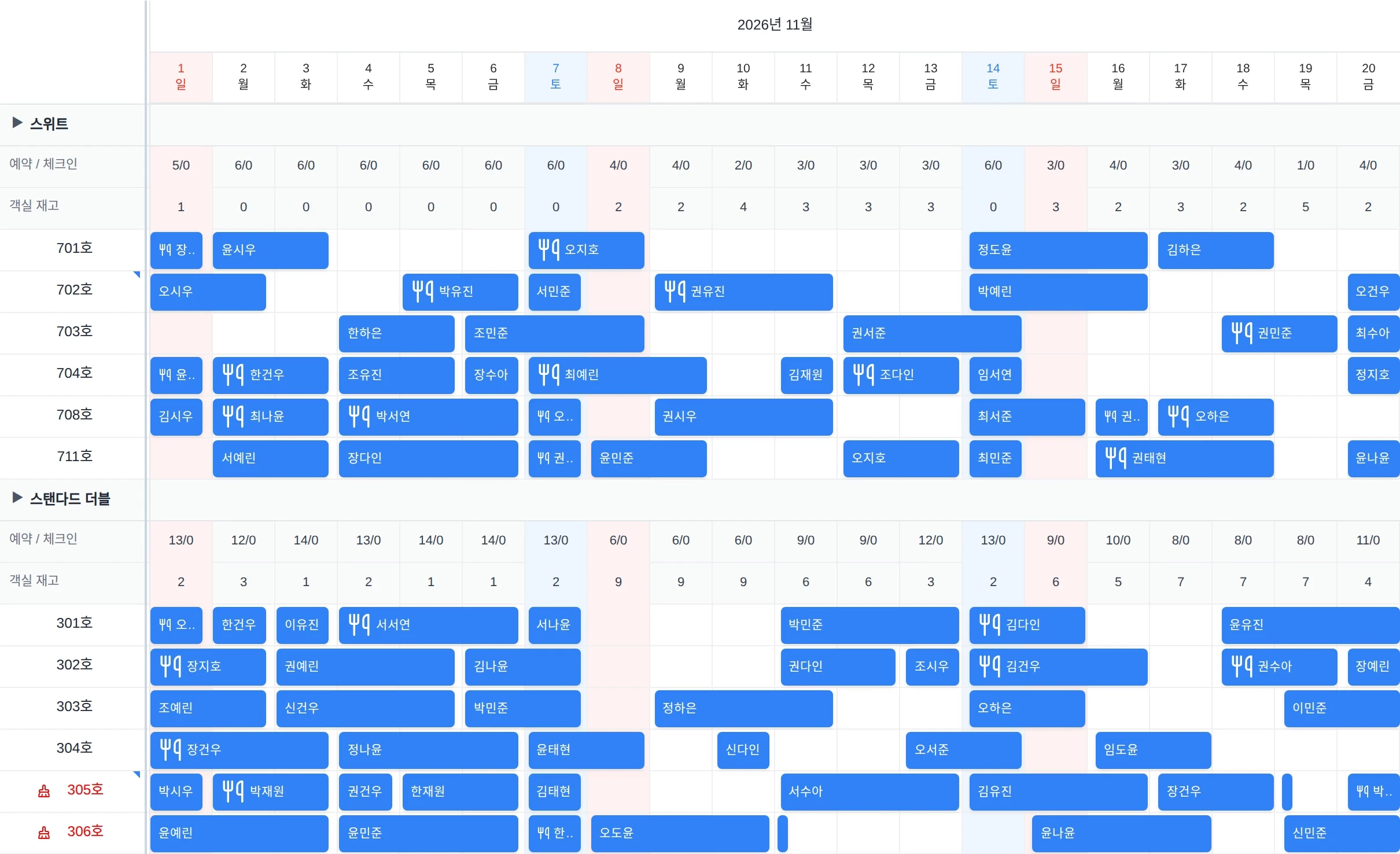
Actual product screen · Reservation calendar
Animation based on the actual product interface · Demo data · Korean UI
Review reservations by room and date
Use the reservation calendar to review room schedules for overnight and day-use stays.
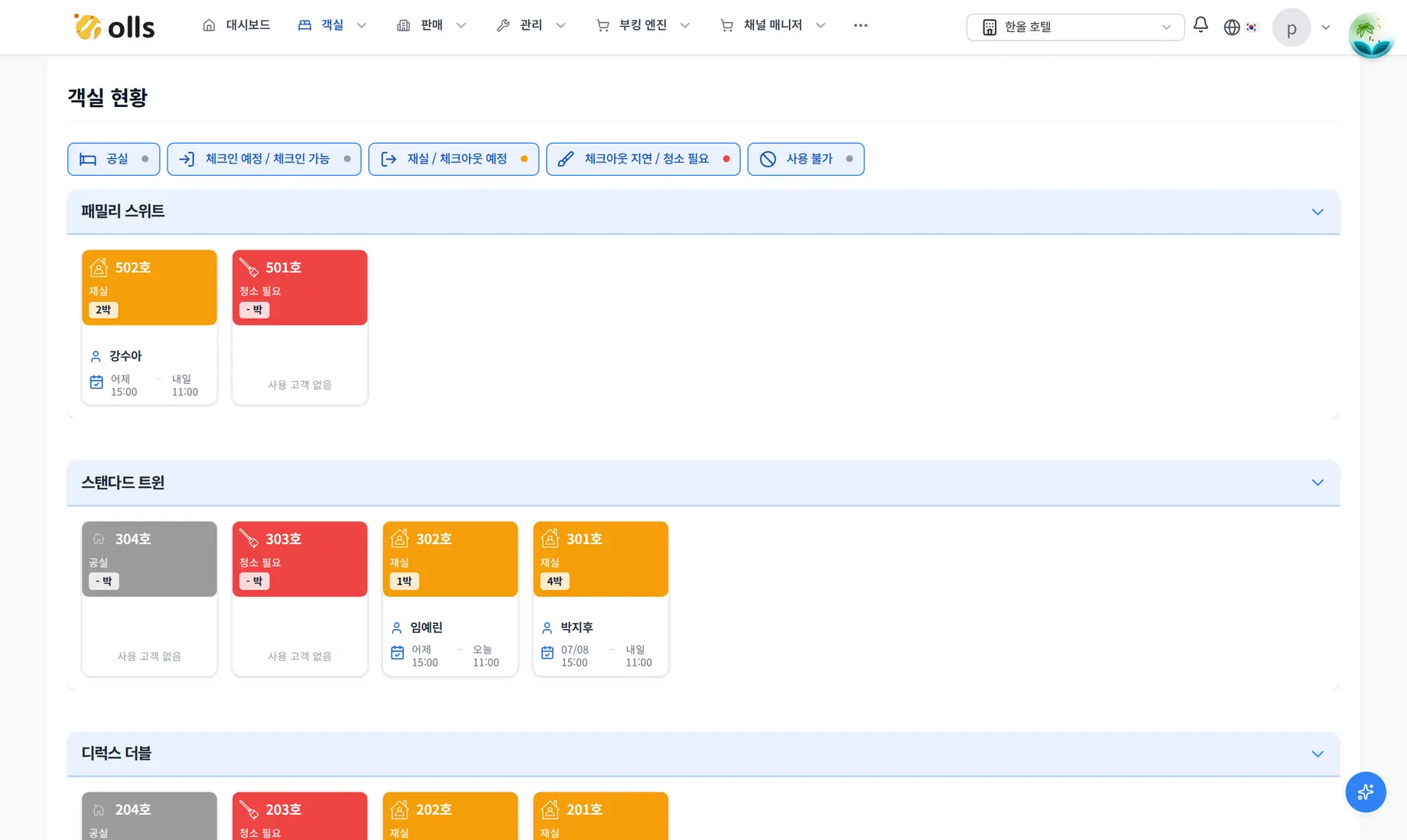
Actual product screen · Room status and cleaning
Actual product screen with demo data. The interface is in Korean.
Enlarge screenCheck room status and cleaning tasks
Review the room status board and cleaning list to see what needs attention before arrival.
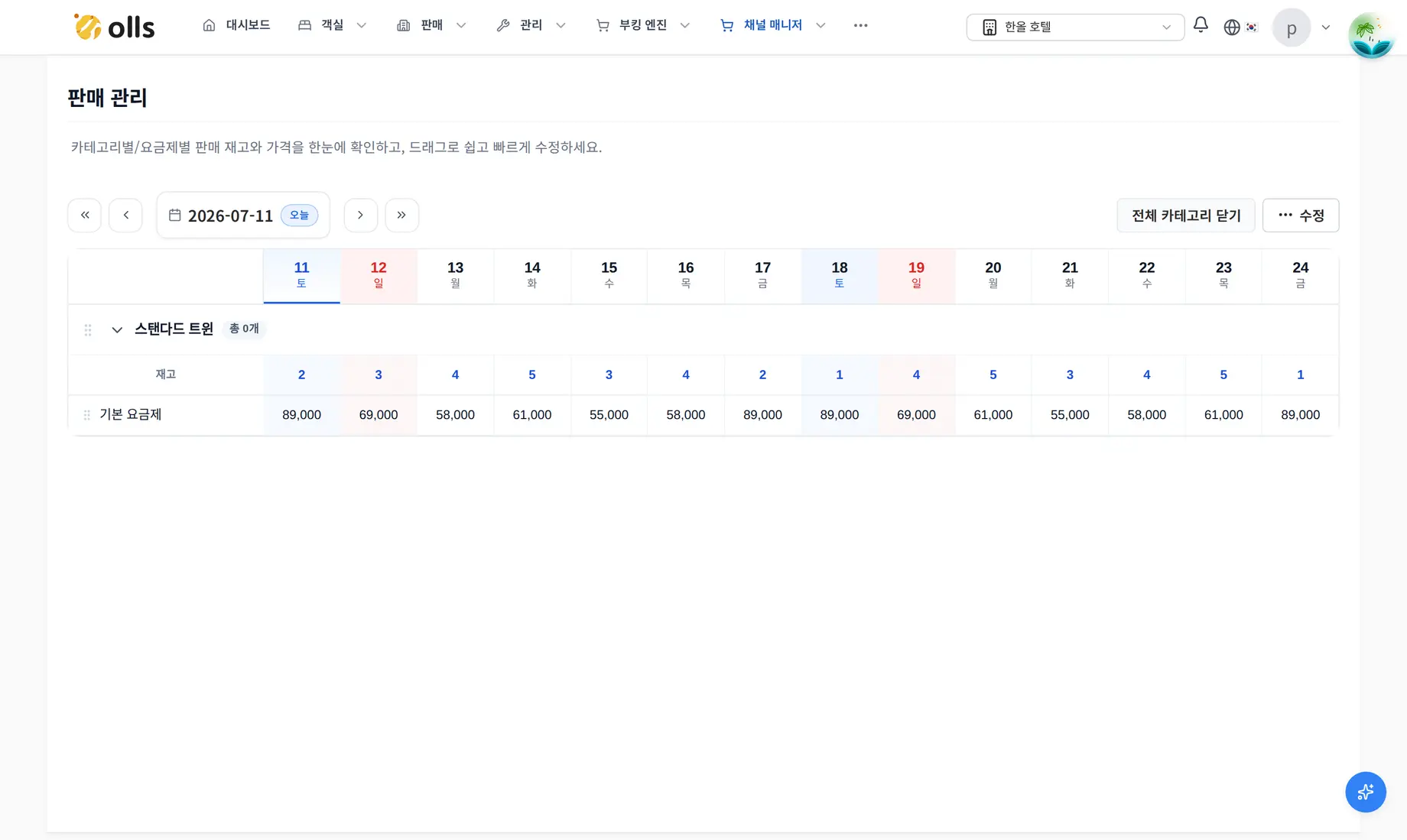
Actual product screen · Channel rates and inventory
Actual product screen with demo data. The interface is in Korean.
Enlarge screenManage daily rates and inventory
Edit rates and room inventory in the sales grid and manage sales settings for connected channels.
Features and support
Explore the work your property needs to manage
Reservations, rooms, channels, guests, settlement and team access. See what each feature supports and which conditions need checking.
Reservations · Sales
Manage the reservation calendar, booking details and a direct booking route.
Room operations
Manage room status, cleaning tasks and periods when rooms are unavailable for sale.
Channel connections
Manage rates, room inventory and sales settings for connected sales channels.
Check-in · Guests
Manage reservation messages, web self check-in and message delivery results.
Settlement · Reports
Apply contractual allocations and fees, then manage previews, confirmation and reports.
Team · Platform
Manage staff permissions, multiple properties and interface languages.
Before you get started
Check pricing and integration requirements
Tell us your property type, room count and the channels and software you currently use. This helps us review the features and setup you need.
- Pricing and contract terms
- There is no public price list. Fees and contract terms are available through a consultation.
- Channel and door-lock compatibility
- We check channel support and connection settings during consultation. Door-lock integration depends on the model and installation.
- Moving from your current setup
- We first review your current software and the data you want to move. The transition method and schedule are discussed based on those findings.
What to check during initial setup
Register room types and rooms
Set up room types and individual rooms to match your property.
Check inventory and invite staff
Review room inventory and set access for the staff who will use OLLS.
Review bookings and integrations
Enter reservations and check channel and door-lock connection requirements and settings.
Questions to help you plan your setup
Where can I find pricing?
There is no public price list. We review your required features and operating conditions during consultation, then explain fees and contract terms.
Can I connect my current sales channels?
Tell us which channels you use so we can check availability and integration scope. OLLS handles channel connection setup and contract configuration.
Can I keep my existing door locks?
We need to check the model and installation first. Support for issuing, changing and revoking codes depends on the integration.
Can I move from my current software?
We review your current software and the data you want to move before discussing a transition. Please confirm whether automated transfer is available and which work is included during consultation.
Can I manage overnight and day-use stays together?
Yes. OLLS supports both overnight and day-use bookings, with overnight, daily and hourly calendar views to review room schedules and usage times.
How can I get a consultation or support?
Use the inquiry form, call 1588-6628 or email contact@beingidly.com. Office hours are weekdays, 09:00–18:00, excluding weekends and public holidays.
Adoption consultation
Tell us how your property operates
Share your property type, room count and current sales channels so we can check the features and integrations you need. Consultations and demos are free.